안드로이드에서 앱 설치하고 메시지 알림 받는 방법
How to install the app and get message alerts on Android
🎉 이제 구글 플레이에서 정식 내니잡 앱을 받을 수 있어요 (2026년 9월 출시)
안드로이드는 아래 Google Play 버튼을 누르거나 구글 플레이에서 "내니잡" 또는 "Nannyjob"을 검색해 설치하세요. 설치 후 웹사이트에서 쓰던 계정으로 로그인하면 새 메시지·매칭 알림을 폰으로 바로 받습니다. 이 방법을 권장합니다.
앱 설치 안내 페이지 보기 →※ 예전에 아래 방법(크롬 → 설치)으로 쓰시던 분도 구글 플레이 앱으로 새로 설치하시길 권합니다. 알림이 더 안정적으로 옵니다.
──────────
참고: 스토어 없이 크롬에서 "설치"로 쓰는 방법 (예전 방식)
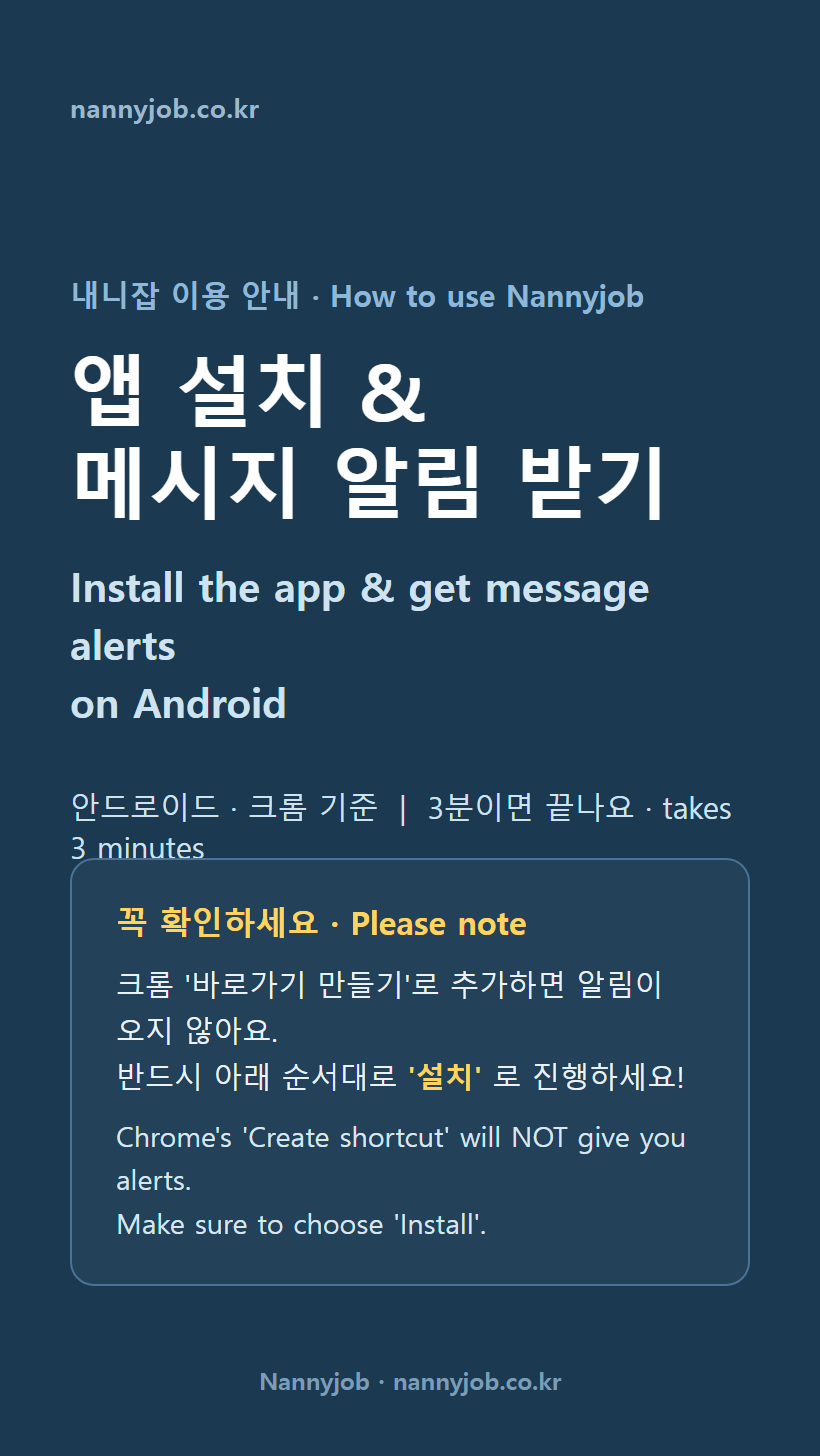
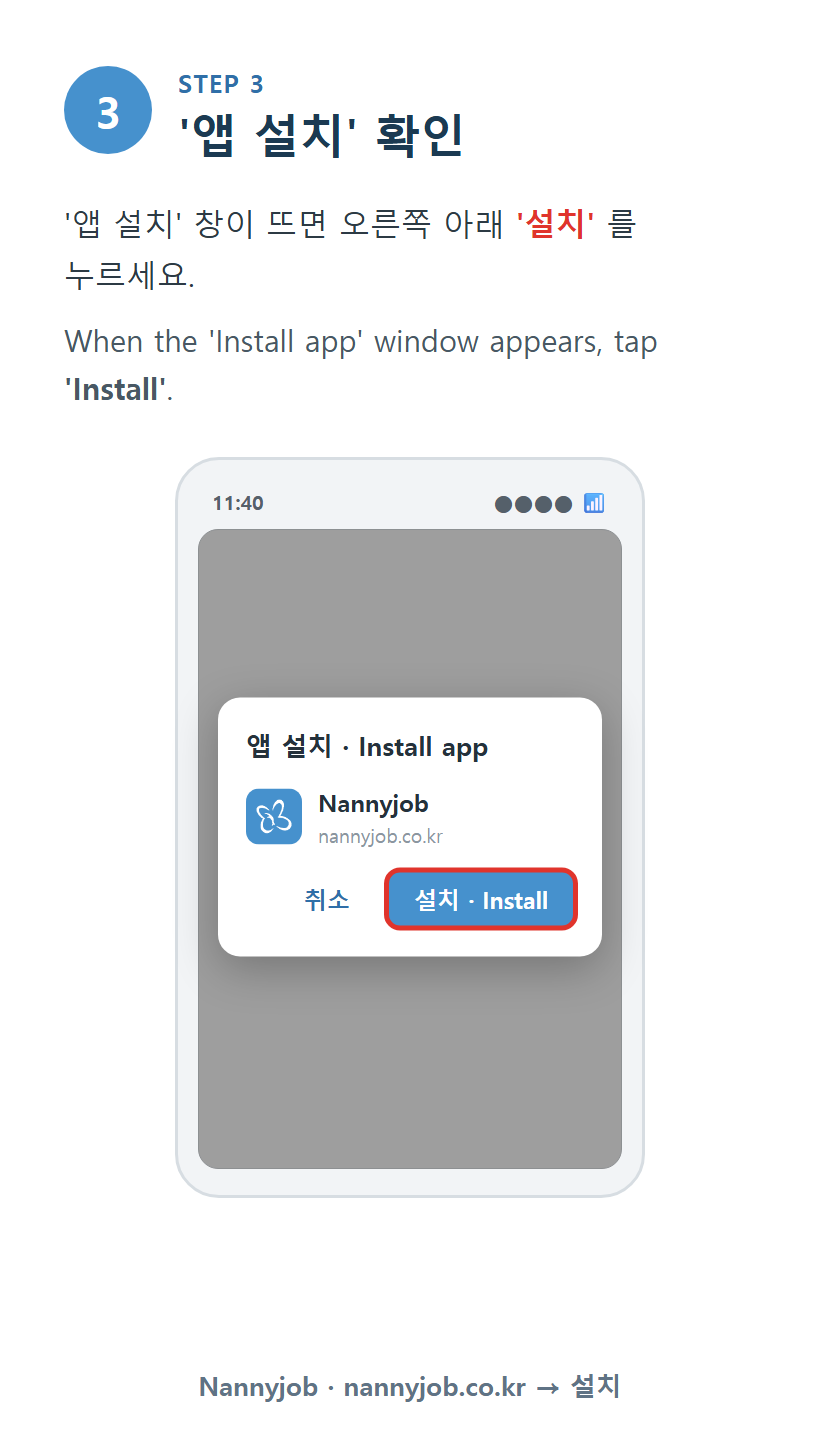
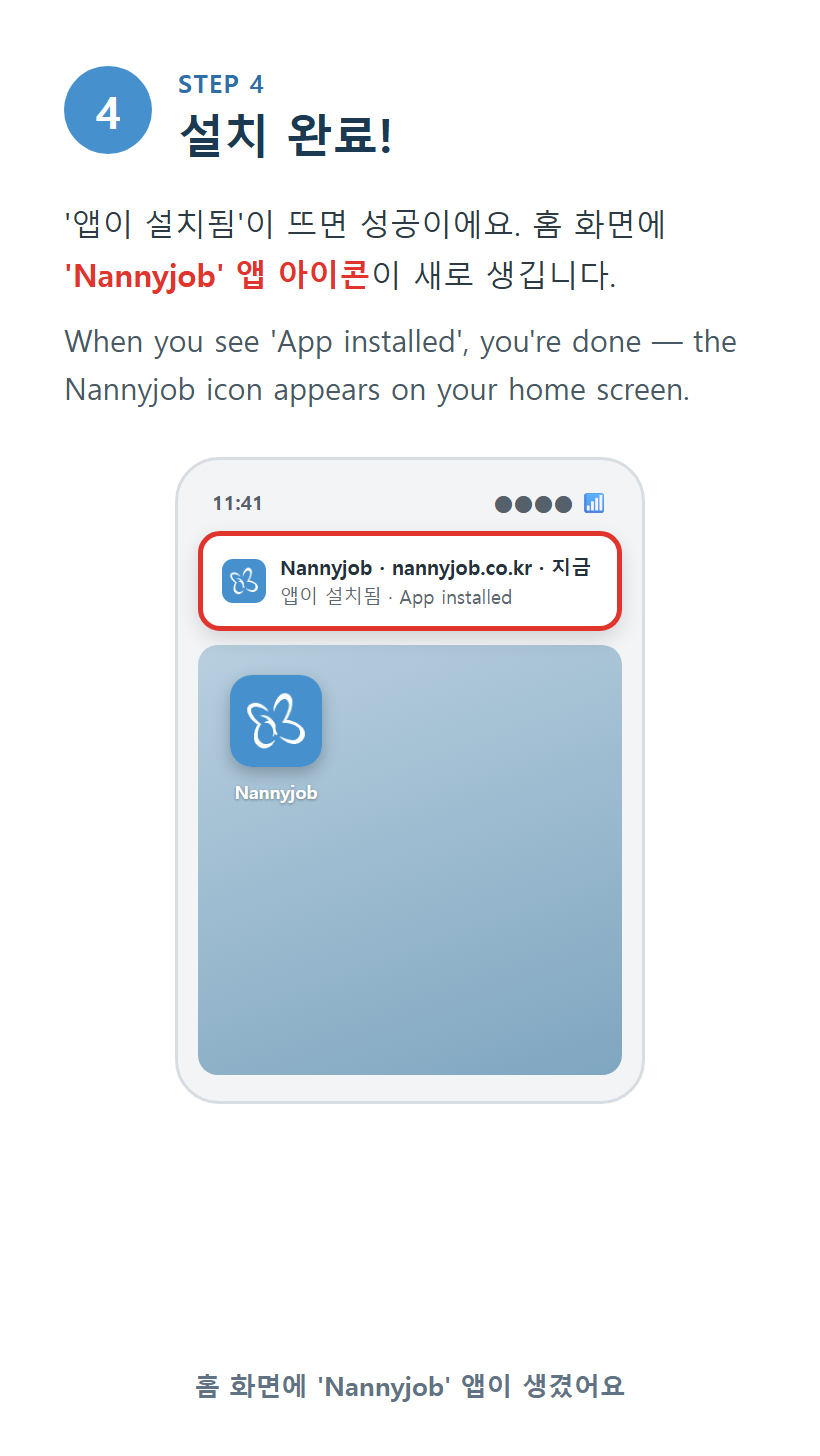
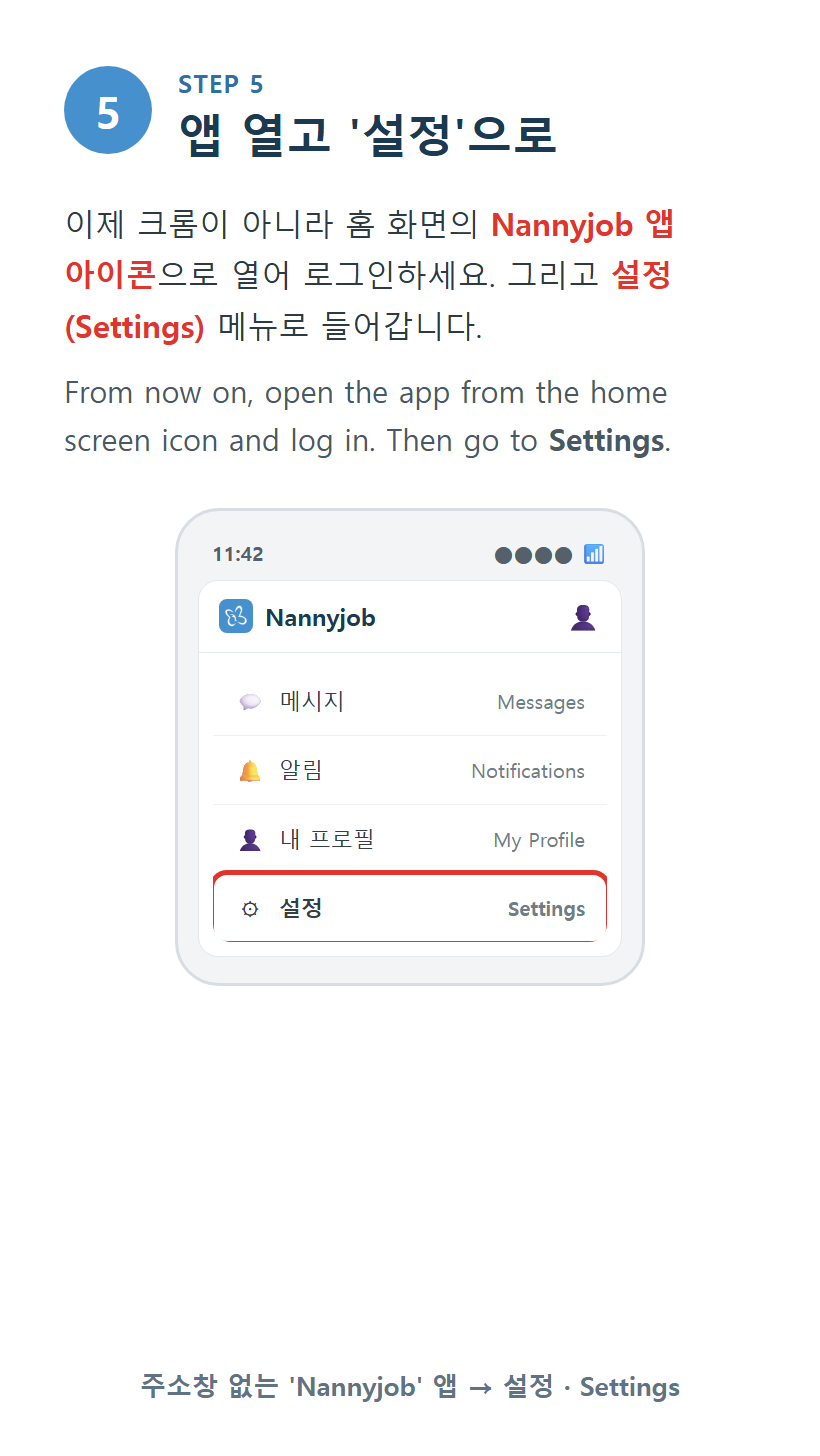
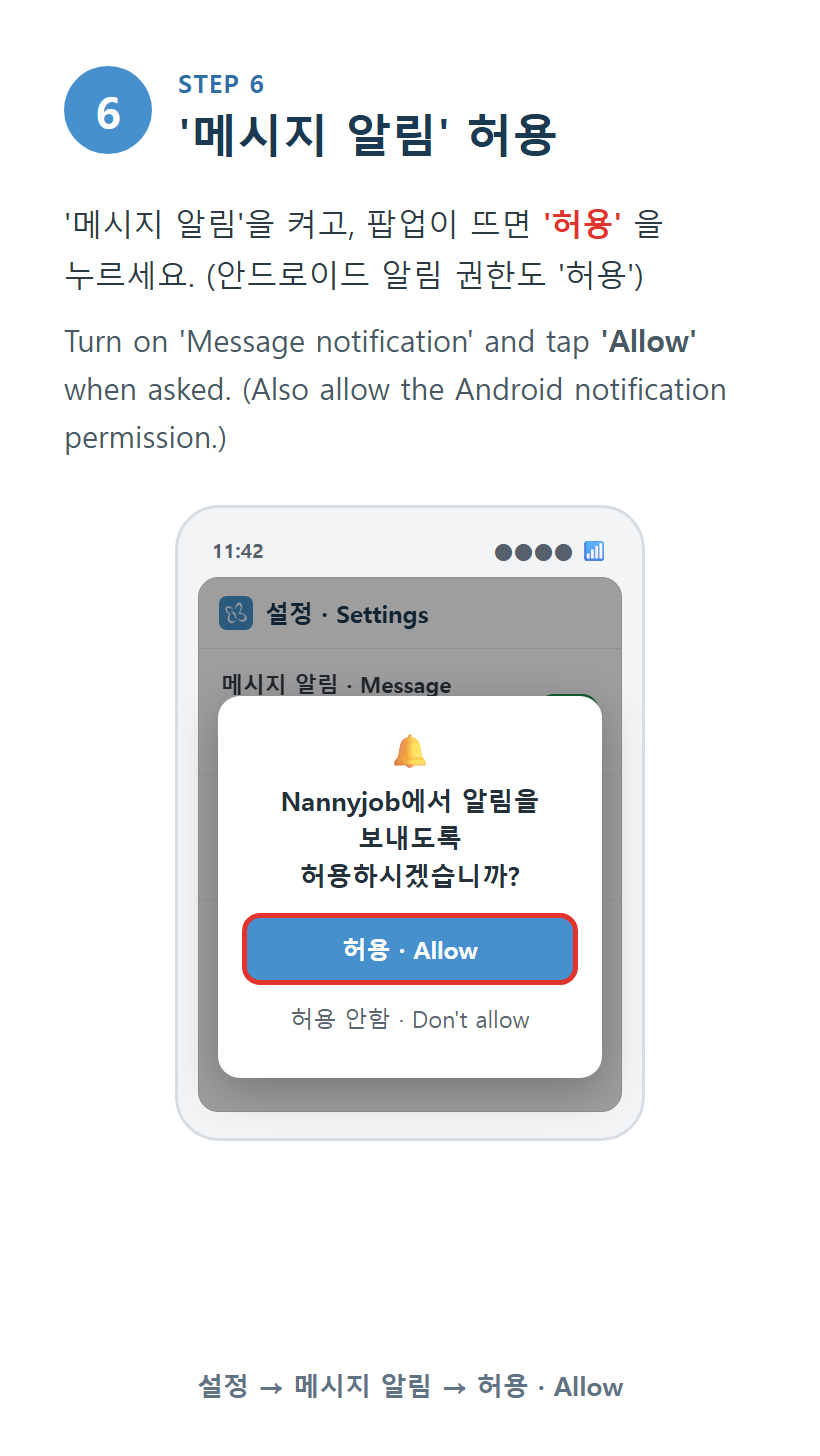
안드로이드(크롬)에서 내니잡을 앱으로 설치하고 메시지 알림을 받는 방법입니다. 3분이면 끝나요. 아래 안내 그림을 순서대로 따라 해 주세요. (그림에 영어 설명도 함께 있어요 · Each card below is in Korean and English.)
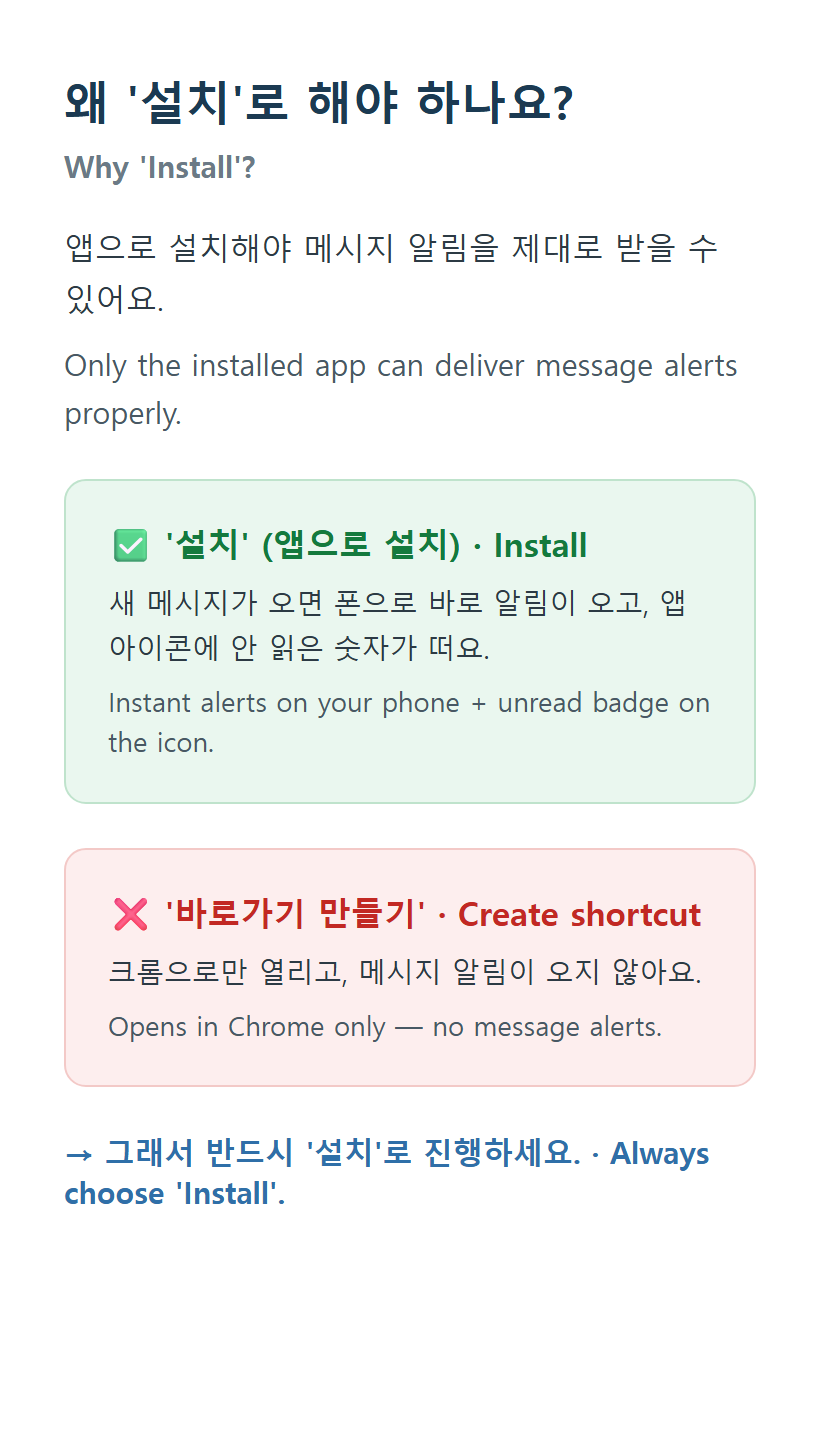
꼭 확인하세요! 크롬 '바로가기 만들기'로 추가하면 알림이 오지 않아요. 반드시 '설치'로 진행해 주세요.
※ 아이폰은 '아이폰에서 앱 설치하고 메시지 알림 받는 방법' 공지를 봐 주세요.
English
🎉 The official Nannyjob app is now on Google Play (launched September 2026)
On Android, tap the Google Play button above or search "Nannyjob" on Google Play. After installing, log in with the same account you use on the website and you will get message & match alerts right on your phone. This is the recommended way.
* If you previously used the Chrome "Install" method below, we recommend installing the Google Play app instead — notifications are more reliable.
──────────
For reference: the old Chrome "Install" method (no store needed)
Please follow the picture guide above — every card includes English. Quick summary:
Important! Chrome's 'Create shortcut' will NOT give you alerts. Make sure to choose 'Install'.
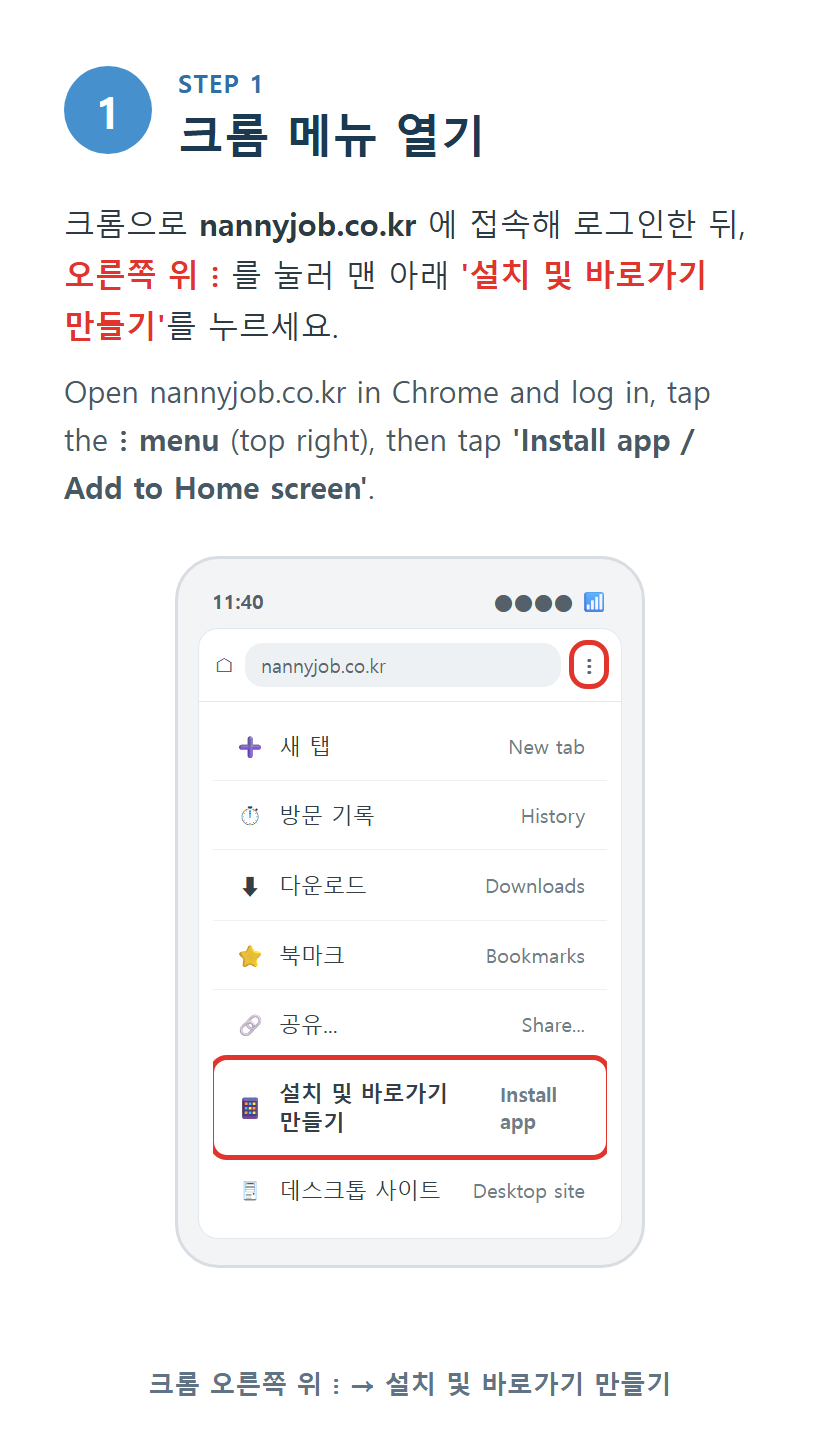
STEP 1. Open nannyjob.co.kr in Chrome, log in, then tap the three-dot menu (⋮) at the top right and tap 'Install app / Add to Home screen'.
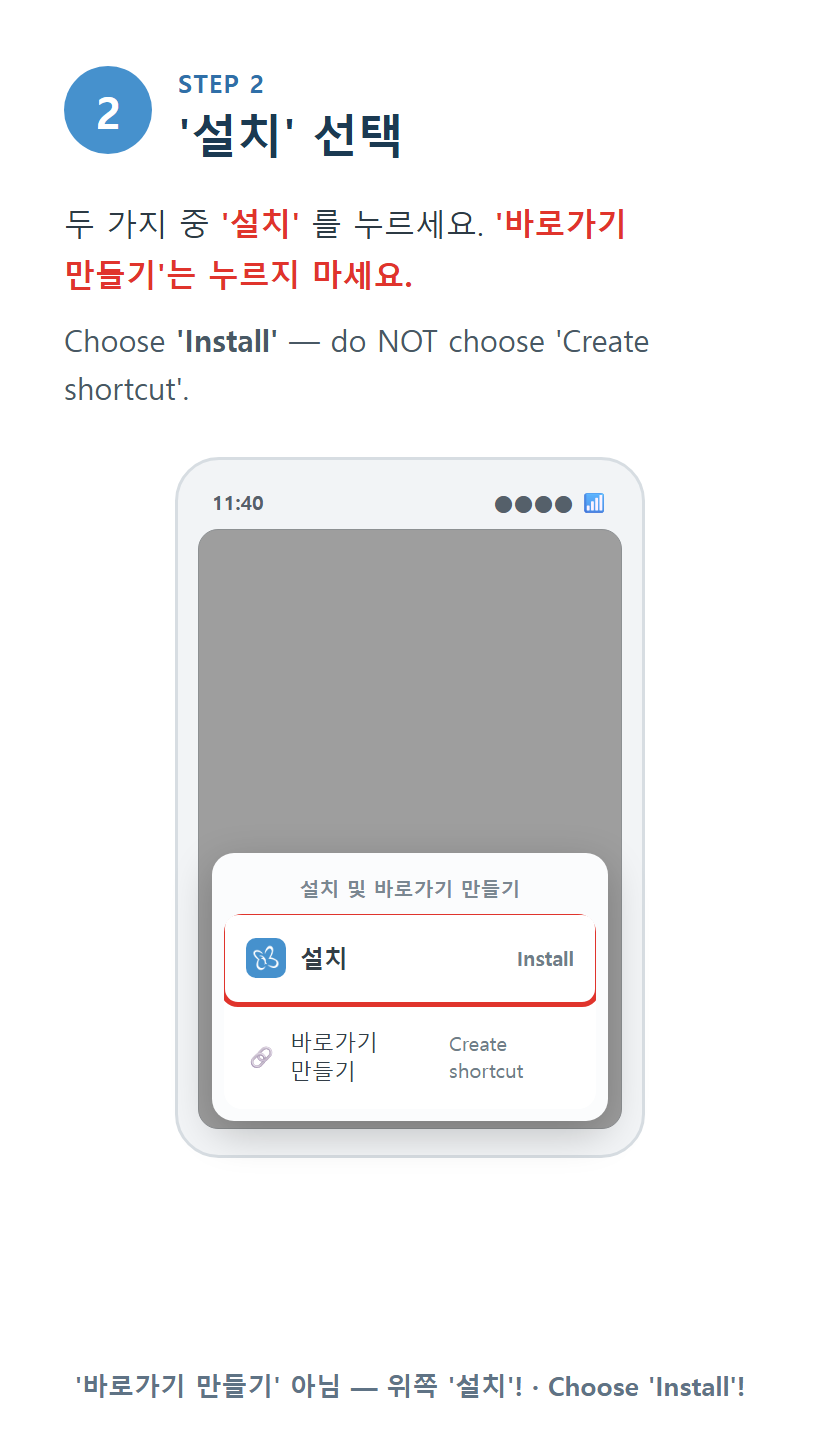
STEP 2. If two options appear, choose 'Install' — do NOT choose 'Create shortcut'.
STEP 3. When the 'Install app' window appears, tap 'Install'. The Nannyjob icon appears on your home screen.
STEP 4. From now on, open Nannyjob from the home screen icon instead of Chrome, and log in.
STEP 5. Go to Settings, turn on 'Message notification', and tap 'Allow' when your phone asks. (Also 'Allow' the Android notification permission.)
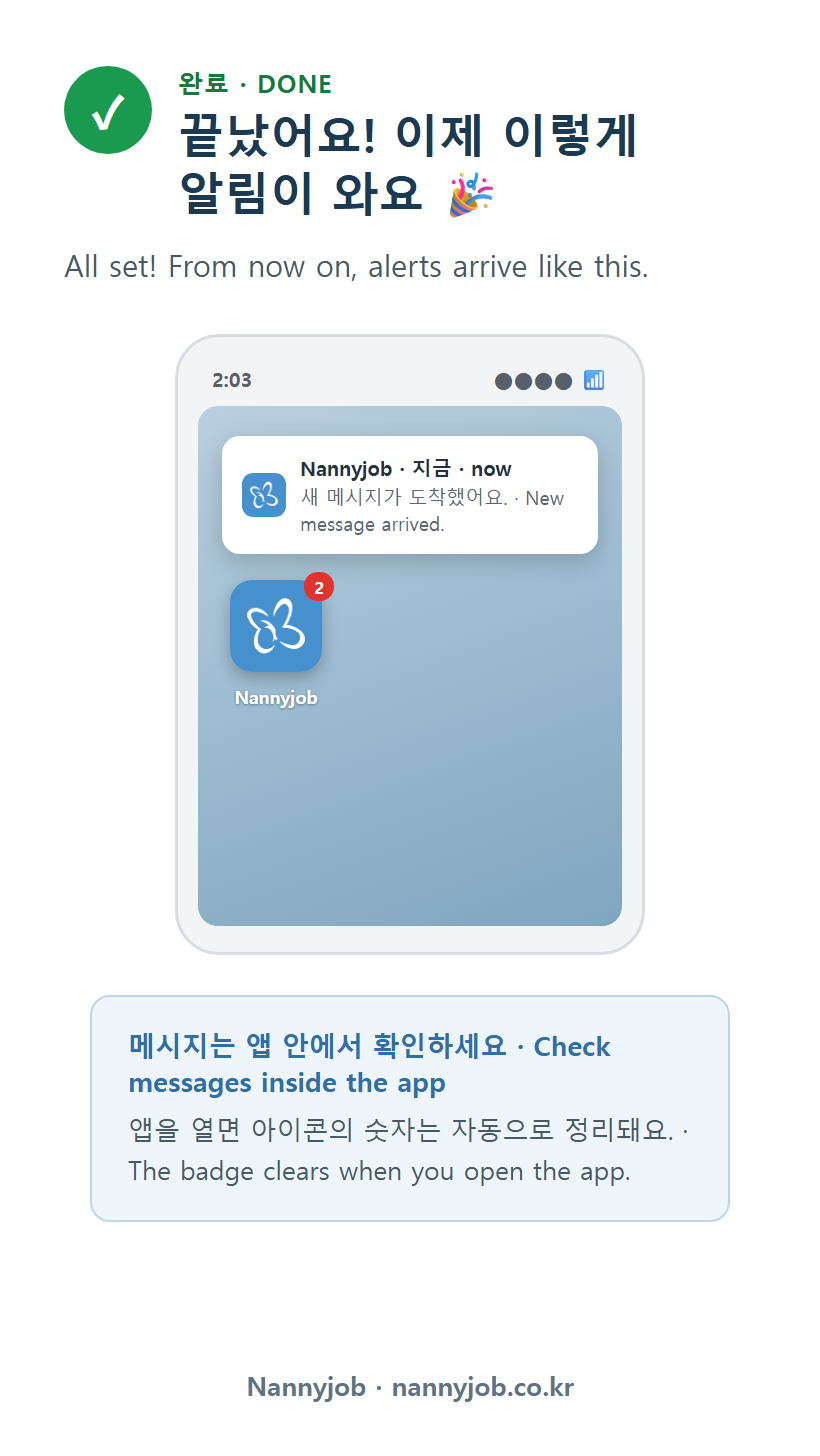
Now, when a new message arrives, you will see an alert on your lock screen and status bar right away.
* Using iPhone? Please see the notice 'How to install the app and get message alerts on iPhone'.